Knowledgebase Article
Creating a Treatment Plan
Category: Training | Module: ChartPro | Created: 10/2/2024 | Last Updated: 9/5/2026
A treatment plan is the document the patient takes away - what to do, what to take, and how. It is built from the encounter, and it prints as a clean patient-facing page rather than as a copy of your clinical note.
Open the plan
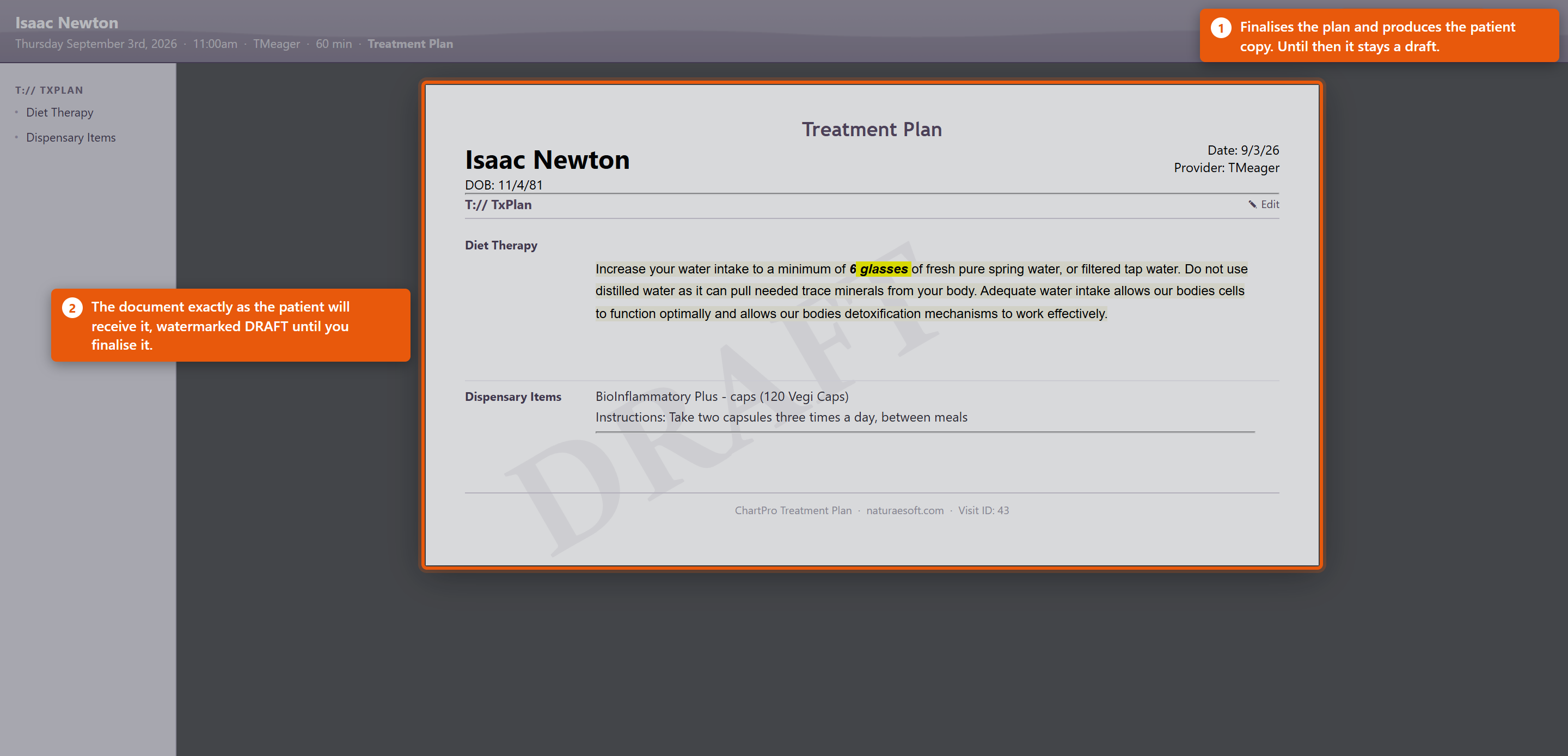
Open the plan from the encounter you are working in. It opens showing the document as the patient will receive it, with the patient's name, the date, you as provider, and a DRAFT watermark across it until it is finished.
The list on the left, headed T:// TXPLAN, shows the sections the plan is made of. Which sections exist is set up once for the practice - see Configuring your ChartPro Service.
Fill it in
Each section has an Edit pencil beside it. Click it, write the content, and it appears in the document straight away, so you are always looking at what the patient will see.
Two kinds of section behave differently:
- Free-text sections such as Diet Therapy hold advice in your own words. Practices usually keep standard wording for these so the same advice does not get retyped, with the specifics filled in per patient.
- Dispensary Items lists what you are dispensing or recommending, each with its own Instructions: line - "Take two capsules three times a day, between meals" and so on. This is the part patients actually follow, so it is worth being specific: with food, at night, away from other supplements.
Finish it
Save & Document finalises the plan and produces the patient copy. Close leaves it as a draft to come back to.
A plan left in draft is not lost, but the patient has nothing - so finish it before the patient leaves rather than intending to come back to it.
Making it useful
- Write for the patient, not the chart. The plan is read at home, days later, by someone who was taking in a lot at the time. Plain instructions beat clinical shorthand.
- Say how, not just what. A supplement with no timing or food instruction gets taken wrongly or not at all.
- Keep it short enough to follow. A plan with four things a patient will do beats one with twelve they will not.
- Standard wording saves real time - the advice that does not change between patients only needs writing once.
Dispensary items on the plan are the same products as in your catalogue, so the instructions can come from the product record rather than being typed each time. See Adding and Editing Products.