Knowledgebase Article
Creating a Deposit
Category: Training | Module: OfficePro | Created: 10/2/2024 | Last Updated: 9/23/2026
A deposit groups the payments you are banking together so that what OfficePro shows matches what appears on your bank statement. Without it you have a list of individual payments and a bank line for the total, and no way to tie one to the other.
Create a deposit
- Open Deposits and choose Create Deposit. The Create a Bank Deposit screen opens.
- Set the Date and, where you bank to more than one account, the Account.
- Choose the Type - the deposit group you are banking, such as your cash and checks or your card settlement. The list under Select Undeposited Funds to Add to Deposit narrows to the payments in that group.
- Tick omit beside anything that is not going to the bank this time. Everything left unticked goes in.
- Check the Deposit Total against the money in your hand or the card settlement, add a Memo, and click Create Deposit.
Only the payments that were on the screen are deposited. A payment taken after you opened the page waits for the next deposit.
To add a payment to a deposit you have already created, open that deposit and use Add Items to this Deposit: tick Add beside each payment and click Add Payments.
Deposit groups
The Type list is not fixed - it is built from your payment types. Each payment type belongs to a deposit group, set on the Payments tab of the Admin page (see Managing Credit Codes and Payment Types). Payment types that go to the bank on the same slip share a group, so choosing a group shows exactly what should be on that slip.
- (all undeposited) shows every group at once.
- Unassigned appears, with a count, when payments have been taken under a payment type nobody has given a group yet. Those payments are never hidden, but give their types a group so they land in the right deposit.
- Payment types set to Does not reach the bank - opening balances, trade, payroll deductions and the like - never appear on this screen at all, not even under (all undeposited), so they cannot be swept into a deposit by mistake.
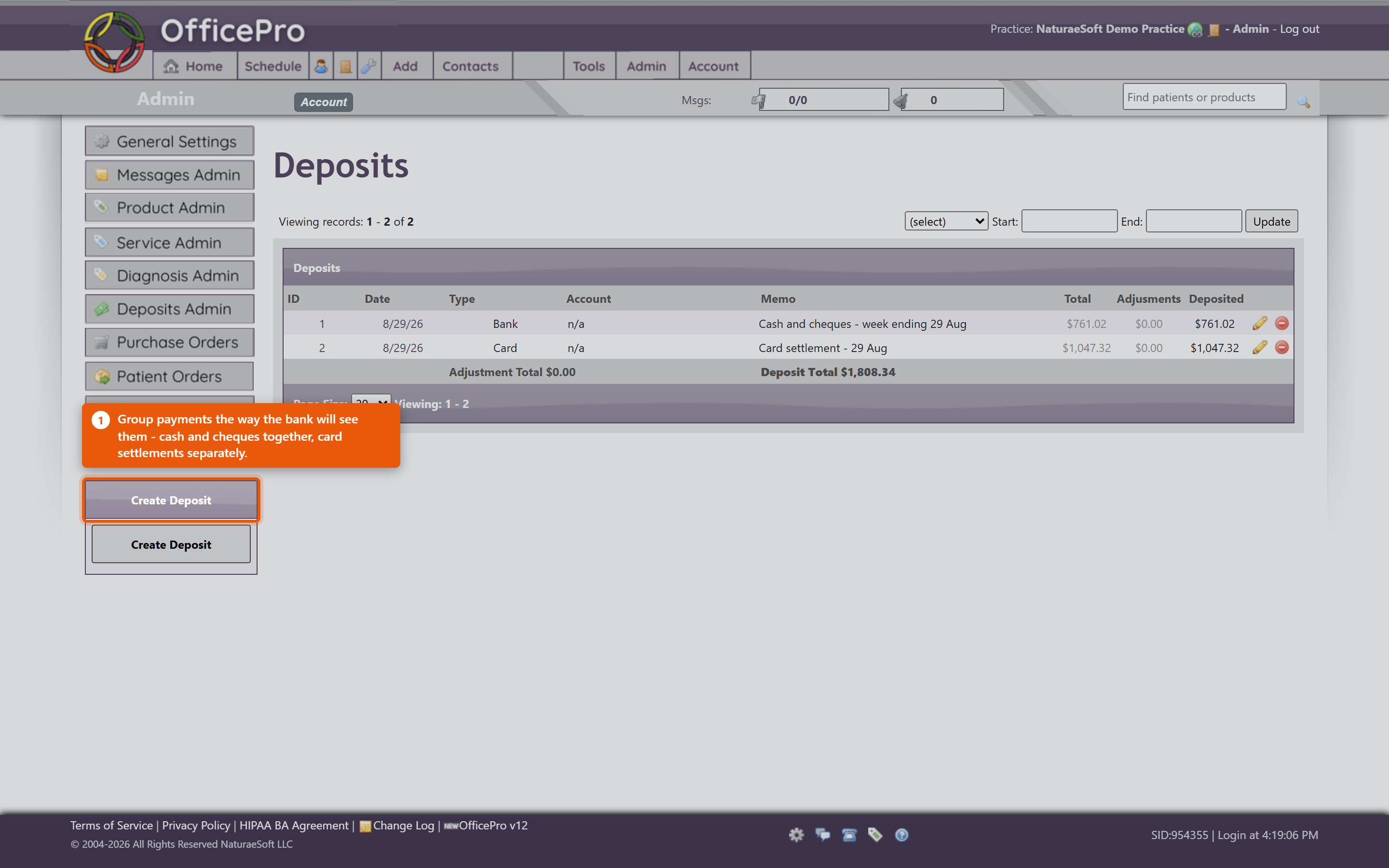
Group payments the way the bank will see them. Cash and cheques banked together belong on one deposit; card settlements arrive separately and belong on their own, or the totals will never line up.
When the total does not match
Use Deposit Adjustment and enter the Adjustment Amount - for a bank fee, a rounding difference, or a cheque returned unpaid. Record what it was for. An unexplained adjustment is indistinguishable from an error when someone reviews it later.
Remove Payment takes a payment back out if it was included by mistake; it returns to the list of unbanked payments rather than being deleted.
Print the slip
Produce the deposit slip for the bank, with Payee and Memo as needed. You will see Deposit Slip Created Successfully when it is generated. Take the printed slip to the bank with the money.
Habits that keep it reconciled
- Bank on a schedule, daily or weekly. Payments that sit unbanked for a month are very hard to match afterwards.
- One deposit per bank line. If the bank shows one figure, one deposit should account for it.
- Explain every adjustment at the time.
- Check the total before printing, not after the bank disagrees.
Deposits cover money leaving your hands for the bank. Whether each payment is attached to the right visit is separate - see Managing Payments, Discounts and Write-Offs. A payment can be correctly banked and still not allocated to a visit, which is why a patient can appear to owe money they have already paid.