Knowledgebase Article
Restricting Access by IP Address
Category: Configuration | Module: OfficePro | Created: 9/5/2026 | Last Updated: 9/5/2026
IP authentication limits sign-in to the internet connections you name - typically the clinic itself, and the home connections of anyone who works remotely. Someone with a valid username, password and MFA code still cannot get in from anywhere else.
This is a strong control and it locks out the innocent as readily as the malicious. Read the warning at the end before switching it on.
Turn it on
- Open the Admin page and find the Authorized IPs section.
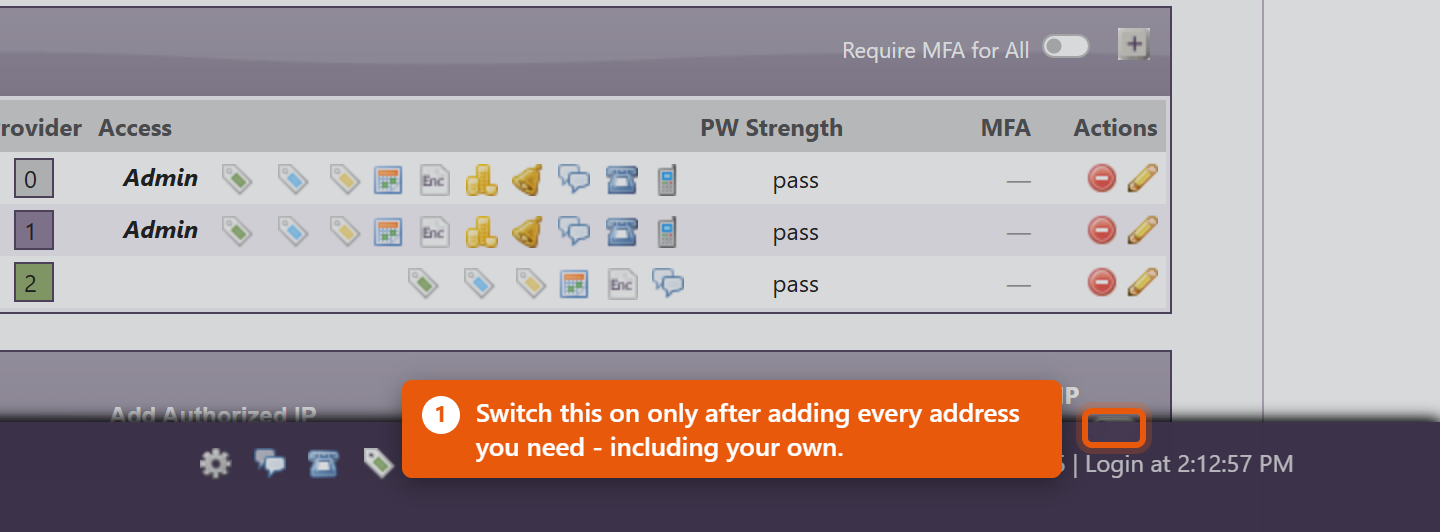
- Switch on Use IP Authentication:. The list of addresses appears; while the switch is off it stays hidden, because it has no effect.
Add an address
- Click Add Authorized IP.
- IP: - the public address of the connection, as four numbers separated by dots. This is not the address on the computer itself; search the web for "what is my IP" while sitting on the connection you want to allow.
- Description: - who or where this is. Write something a colleague will still understand in a year: Front desk - clinic fibre beats office.
- Authorized: - Yes to allow it immediately, No to record it without allowing it yet.
- Click Add.
The list
Each row shows IP, Status, User / Description, Requested, Authorized and Actions.
When someone tries to sign in from an address that is not on the list, they are refused and the attempt is recorded as a request. Review these: if it is your own colleague working from a new place, click Authorize on that row and they can sign in. If you do not recognise it, leave it - an unauthorised row does nothing.
Before you switch this on
Most practices do not have a fixed address. Unless you pay your internet provider for a static IP, the clinic address can change on its own - after a power cut, a router restart, or an engineer visit - and when it changes, everybody is locked out at once, including you. Nobody can reach the Admin page to correct it, because the Admin page is behind the same check.
So:
- Confirm with your internet provider whether your address is static before relying on this.
- Add every address you need before switching the feature on - clinic, any second site, and the home connection of at least one administrator.
- Remember mobile data is a different connection entirely. Staff on a phone or tablet away from clinic wifi will be refused.
- If you are locked out, contact NaturaeSoft support. The switch can only be cleared from outside the affected practice.
For most practices, requiring multi-factor authentication gives most of the protection with none of the lockout risk. Consider that first, and add IP restriction only where the extra strictness is genuinely needed.