Knowledgebase Article
Using OfficePro Reports
Category: Training | Module: OfficePro | Created: 10/11/2024 | Last Updated: 9/5/2026
Reports live under Reports in OfficePro. The list on the left is the whole set - if a report is not there, it is not hidden further in, it is either retired or not available to your account. There is a Find a report... box at the top of that list; typing two or three letters is usually quicker than reading it.
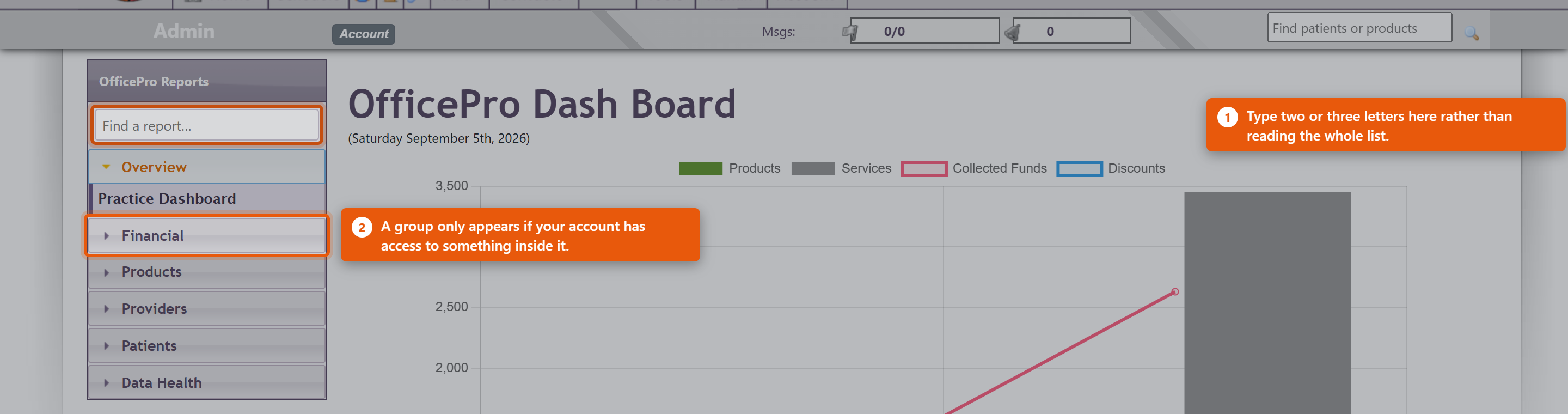
How reports are grouped
- Overview - the Practice Dashboard, key numbers at a glance, each one clicking through to the report behind it.
- Financial - the Master Report in three depths, plus Billing, Sales Tax, Discounts Given, Unbilled Services, and patients carrying a balance or a credit.
- Products - Products Sold, Subscription Health, Anticipated Refills, Duplicate Products.
- Providers - Provider Report, Provider Summary, Provider Productivity.
- Patients - by Diagnosis, by Revenue, and Duplicate Patients.
- Data Health - Data Error Review, which lists allocation and balance anomalies waiting to be looked at.
You will not see every group. A group only appears when your account has access to something inside it, so two people at the same practice can see different lists. That is the permission working, not a fault.
The three Master Reports
These are the same figures at three depths, and picking the right one saves a lot of scrolling:
- Master Report - Summary - period totals only.
- Master Report - Standard - encounter totals for the period.
- Master Report - Detailed - every encounter, line by line.
Start at Summary and go deeper only when a number needs explaining.
Choosing the period
Most reports open on the current month. The period bar at the top offers today, yesterday, this week, last week, this month, last month, this quarter, last quarter, this year and last year, plus Custom for any two dates.
Some reports have no period bar at all, and that is deliberate. Patients with a Balance Due, Patients with a Credit, Subscription Health and the duplicate-finding reports describe how things stand right now rather than what happened between two dates. A date range would not mean anything on them.
Getting the numbers out
Where a report can be exported, the action sits at the top of the report. Sales Tax, Sales Tax - Line Detail, Discounts Given, Unbilled Services, Subscription Health and Provider Productivity export to CSV, which opens in Excel or Numbers. Any report can be printed to PDF.
Export before you change the period if you want both - the export always reflects what is on screen.
Following a number to its source
Several reports drill through. Clicking a figure on the Practice Dashboard opens the report behind it; the Master Reports step from Summary to Standard to Detailed; and Sales Tax opens Sales Tax - Line Detail, which lists every taxed line making up the total. That detail report is reachable only by drilling into it, which is why you will not find it in the list on the left.
This is the fastest way to answer "why is that number what it is" - keep clicking until you reach the encounter.
What providers see
A provider opening a provider report sees their own figures. Only accounts with financial or administrator access can select a different provider. So a provider reporting that they cannot see a colleague's numbers is describing the system working as intended.
If a report you used to run is not listed
The reports section was rebuilt in August 2026 and a large number of old pages were retired, most of them duplicates or reports nothing had opened in years. An old bookmark may no longer work. Look for the current equivalent in the list, or see A Report Is Missing or Will Not Open, which explains what each refusal message means.